

DEFINER vs INVOKER Security Mode in Starburst Views : What You Need to Know
Choosing the right security mode in Starburst to balance data access control and usability

When you create a view in Starburst, you are not only deciding what query it runs, but also whose access rights are applied when someone queries it. This is controlled by security modes. In Starburst, two modes are available:
1. DEFINER Security Mode
How it works: The view runs using the permissions of the account that created it.
Impact: If the creator had access to certain tables or columns, anyone querying the view can see the results, even if they do not have direct access to those source objects.
Why it matters in Data Products:
In Starburst Enterprise, the default behavior for views and materialized views created by Data Products is DEFINER mode and you do not get to pick
This allows product consumers (the “invokers”) to query the dataset without having direct rights to the underlying catalog or schema (for example,
catalog_XYZ)This is useful for hiding raw source tables from business users while still letting them query curated datasets
Security note: If your current RBAC or BIAC (built-in access controls) policies still allow users to see the underlying
catalog_XYZtables, they will continue to have that access until those policies are tightened.Typical use cases:
Curated business views that abstract complex joins and sensitive logic
Shared reporting datasets where the creator is a trusted account
Example:
CREATE VIEW finance_summary
SECURITY DEFINER AS
SELECT dept, SUM(salary) AS total_salary
FROM hr.payroll
GROUP BY dept;
2. INVOKER Security Mode
How it works: The view runs with the permissions of the user who queries it.
Impact: If the invoker does not have direct access to the underlying objects, the query fails.
Downside for hiding data:
You cannot shield source catalogs from end users because they need direct table access to run the view
This makes INVOKER mode less suited for data product delivery where the source layer must be hidden
Typical use cases:
Environments where access control must strictly follow the least privilege principle
Regulatory setups that require every query to pass the user’s own permission checks
Example:
CREATE VIEW team_sales
SECURITY INVOKER AS
SELECT region, SUM(sales_amount)
FROM sales.transactions
GROUP BY region;
Policy Control in Practice
To manage who can create DEFINER or INVOKER views, Starburst Enterprise integrates with policy managers such as:
Built-in Access Control (BIAC) Policy Manager
Apache Ranger
Other supported RBAC tools
Admins and in some cases delegated power users can define:
Which accounts can create DEFINER views
Which datasets are exposed in Data Products
Rules to hide or mask raw source data
Best Practices
Use DEFINER mode for data products to shield underlying source catalogs from consumers.
Audit DEFINER views regularly for unintended data exposure.
Lock down direct access to raw tables if DEFINER mode is used to enforce abstraction.
Keep INVOKER mode for internal, team-level datasets where user-level security is required.
Clearly document the intent of each view in metadata or comments.
Key Takeaway
DEFINER: Runs with the creator’s permissions. Good for curated datasets and hiding raw data layers.
INVOKER: Runs with the querying user’s permissions. Safest for strict, per-user data control.
MV stands for Materialized View.
A Materialized View in Starburst is like a regular view, but the results are stored (persisted) instead of being computed every time you query it.
It improves performance for repeated queries.
It still follows the same security mode rules (DEFINER or INVOKER) as a normal view.
In Starburst Enterprise Data Products, the default is also DEFINER for MV.
In Starburst Enterprise Data Products, DEFINER is the default for views and MV, so security planning should start at the policy manager level to ensure the right level of data visibility.
official documentation: https://docs.starburst.io/latest/sql/create-view.html#see-also
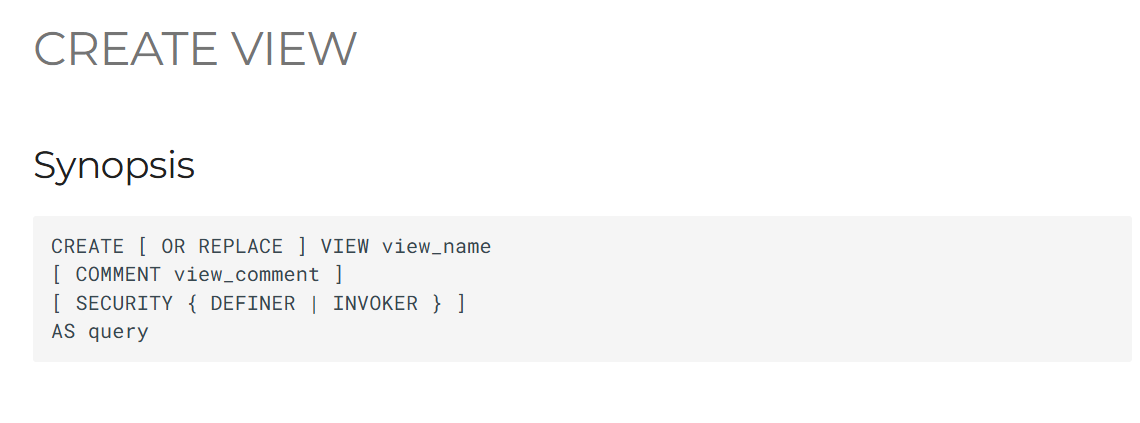
CREATE [ OR REPLACE ] VIEW view_name
[ COMMENT view_comment ]
[ SECURITY { DEFINER | INVOKER } ]
AS query